 Steelcap Pro
Run your whole crew from your phone.
Safety forms, field tickets, dispatch, truck billing and your books, in one app built for oilfield crews of 1 to 20. Your guys use it in the truck. You see everything from anywhere.
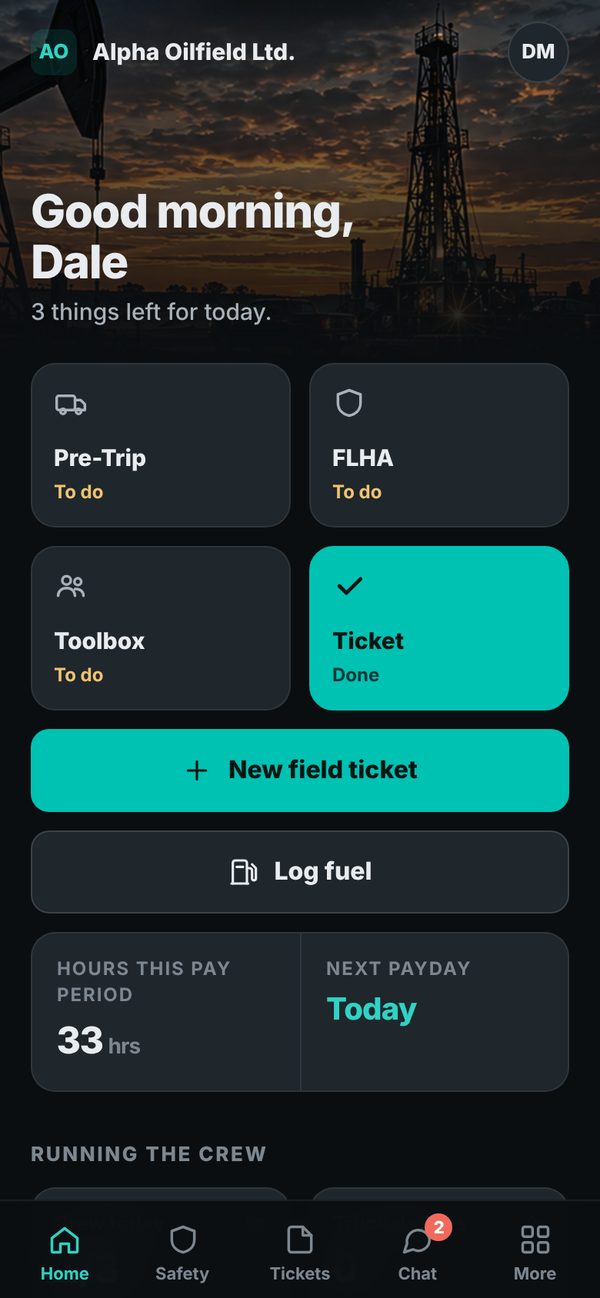
One shift, start to finish.
No more forms on clipboards, tickets in the console and invoices on Sunday night. Here's what a day looks like when the whole crew is on Steelcap Pro.
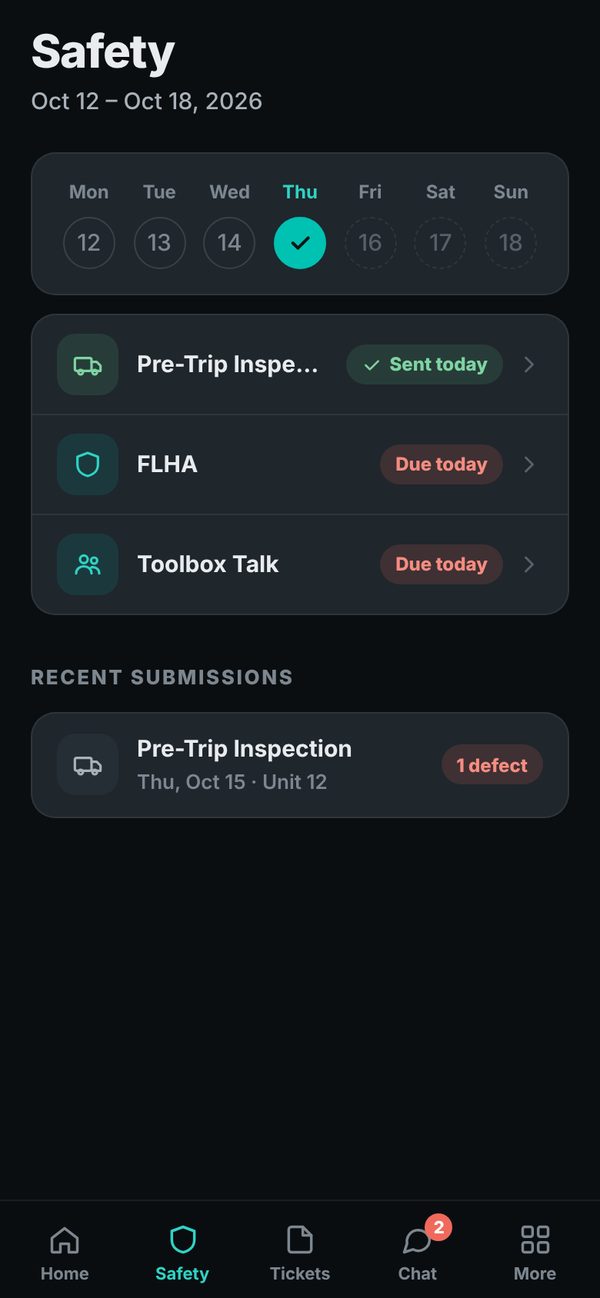
Safety done before the truck's warm
FLHA, pre-trip and toolbox talk on the phone, with photos and signatures. Defects go straight to the owner.
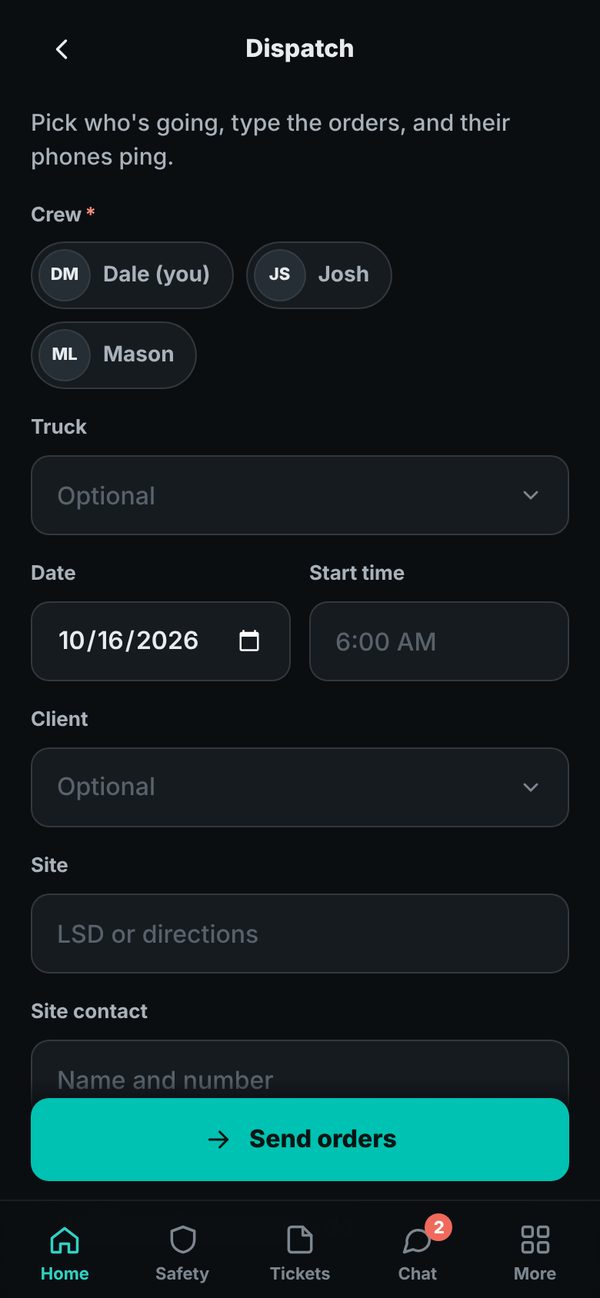
Dispatch lands on every phone
Site, client, truck and start time, pushed to the guys you pick. You see who's read it.
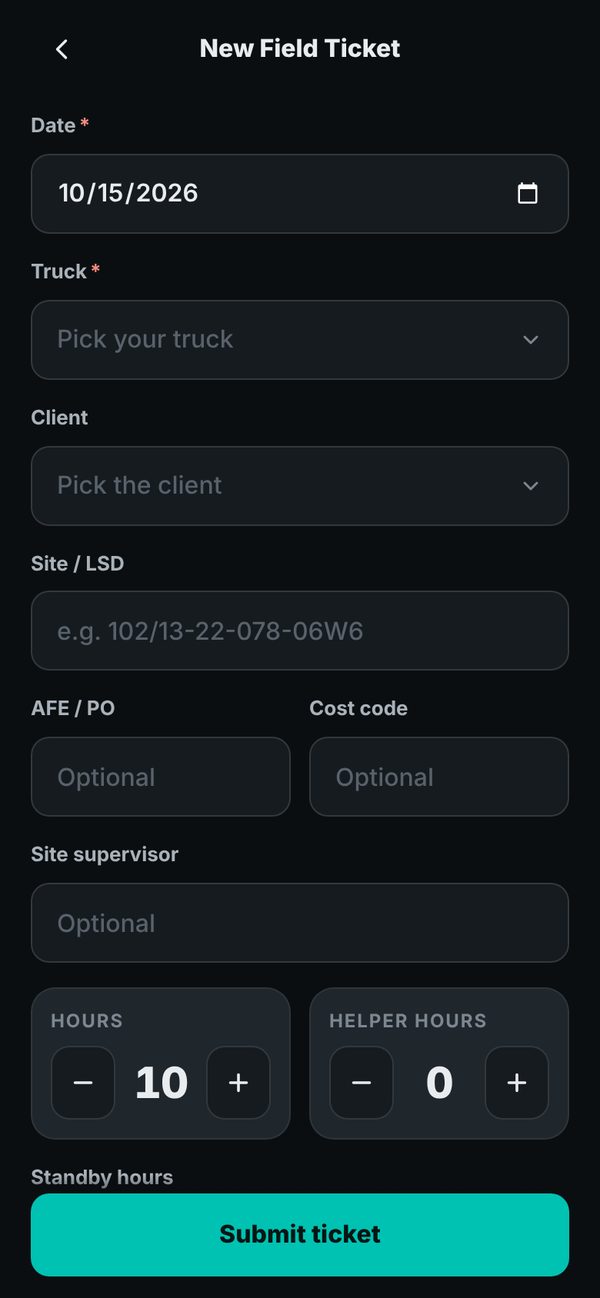
A field ticket in thirty seconds
Truck, client, site and hours. Fuel receipts get a photo and read themselves. No paper left in the cab.
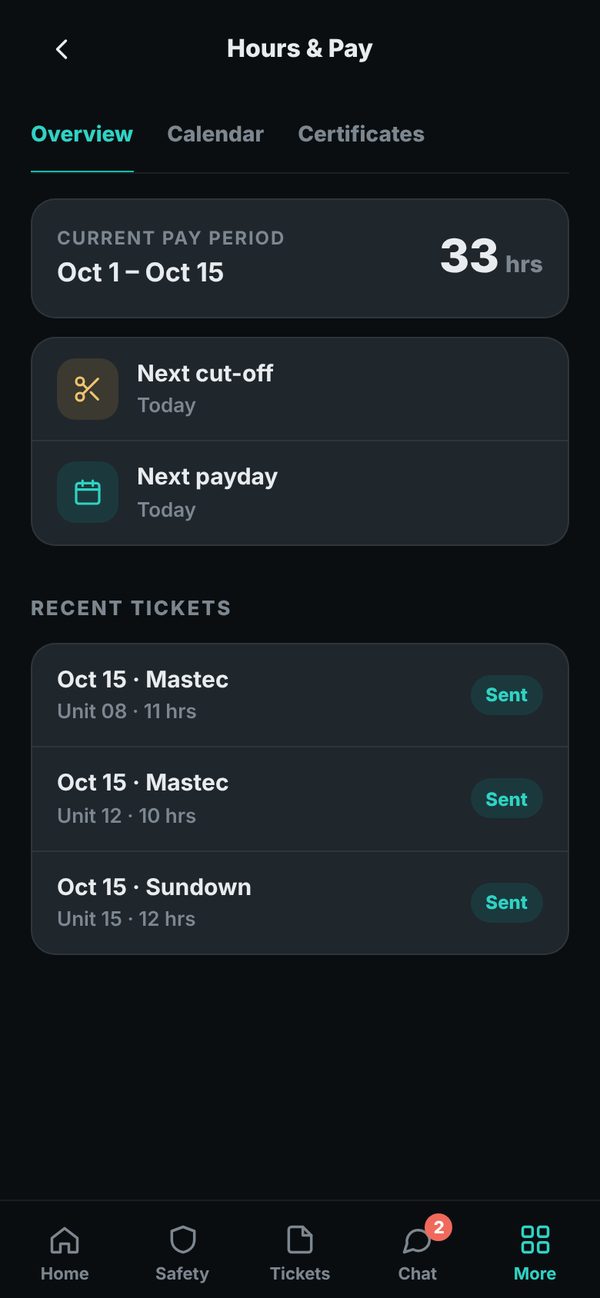
Hours and pay, already added up
Everyone sees their own hours and the next payday. You approve the period in one tap.
Know what every truck made.
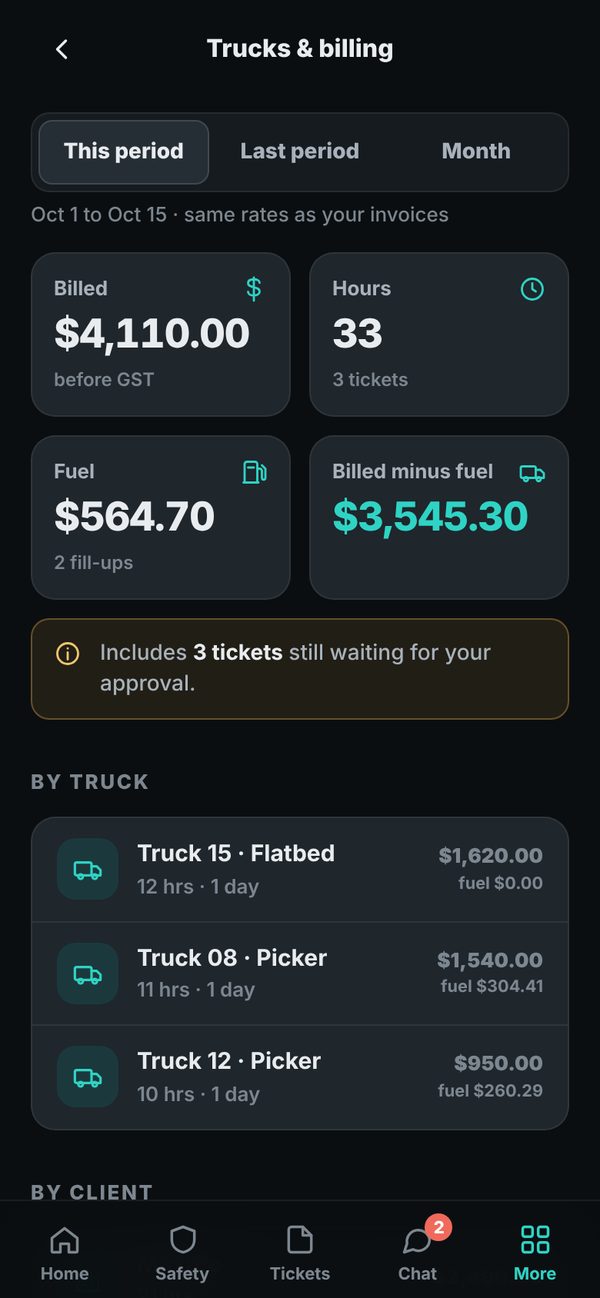
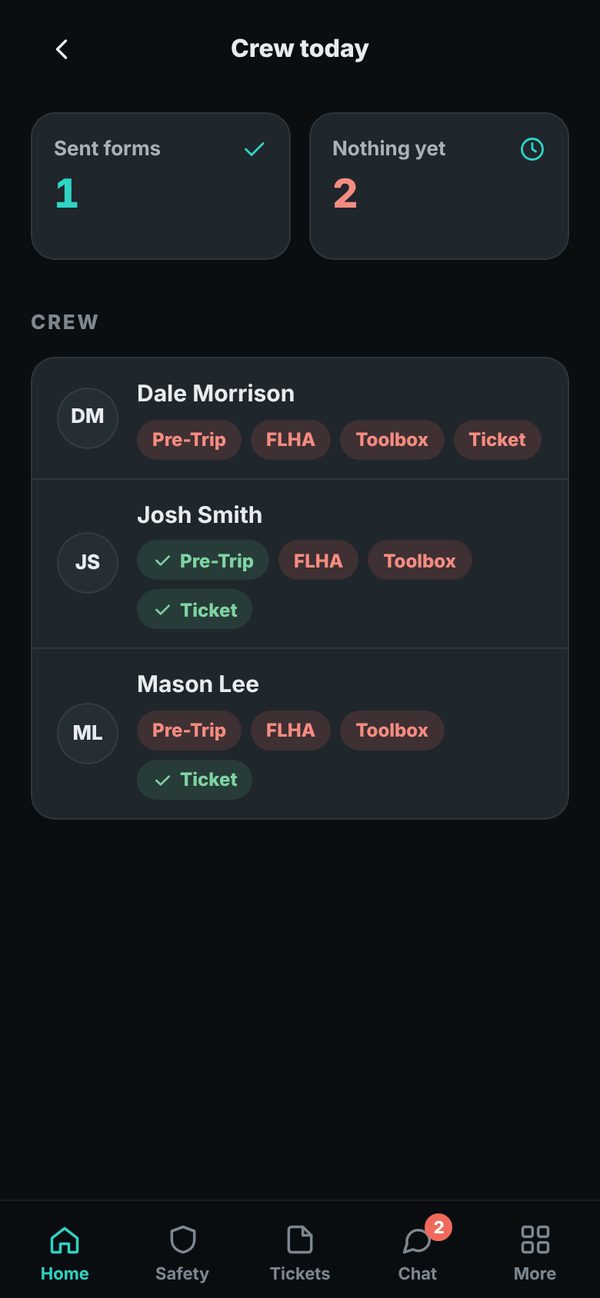
The owner side shows who still owes forms, what each truck billed, what it burned in fuel and what's left.
- Crew today. Who's done their safety and who hasn't, live.
- Trucks and billing. Billed, hours, fuel and profit per truck and per client, by pay period or month.
- Approvals. Check the day's tickets and approve them all at once.
- Crew chat and an AI office assistant that knows your trucks, clients and rates.
Straight into your books.
Approved tickets turn into invoice drafts with your rates already on them. Nothing goes to a client until you send it.
QuickBooks Online
Invoice drafts per client, and fuel receipts as expenses with the photo attached.
Excel
Download any period as a spreadsheet, split by truck and client.
Google Sheets
A live sheet that fills itself as tickets come in.
Set up in five minutes.
No sales call, no install day. Do it from your phone tonight and your crew is on it in the morning.
Make your company
Name, logo, colours and pay schedule.
Add trucks and clients
With the rates you bill each one.
Text one code to the crew
They tap the link and they're in.
Pick your books
QuickBooks, Excel or Google Sheets.
Built in the field, for the field.
Steelcap Pro came out of running a real oilfield crew in northern BC and Alberta. Every screen is there because a crew needed it.
Pricing
Simple monthly pricing for crews of 1 to 20. Get in touch and we'll set you up.